Overview
In this module, I learned about the shooting and editing process. After reading, watching videos, and researching, I shot footage and edited it into a montage. I got to decide what editing style worked best for the story I was telling and practiced using sound to support it.
Reading and Writing
This week I read chapter 10, After the Shoot – Editing, in The Bare Bones Camera Course for Film and Video by Tom Schroeppel.
Everyday experiences can be broken into shots and cuts made by our eyes and brains as we experience the world around us. The human eye sees roughly 24 degrees wide, similar to a 50mm lens on a traditional camera for a 35mm lens on a full-frame digital camera.
Communicate clearly with the audience by using still, wide shots. These shots set the scene and help them quickly focus on the subject. Introduce new sounds and clips slowly, allowing the audience to adjust to and absorb the information. Conversely, if you want to communicate tension, confusion, or other intense emotions, present information faster than they can absorb it.
When editing, view the content as if you’re seeing it for the first time. Detaching yourself from the initial vision will help ensure you get the best product and don’t try to force a less effective concept. Even shots that took a lot of effort to get aren’t always the best option if they don’t communicate the right message to the audience. It’s best practice to get familiar with all the material before cutting to make the process as smooth as possible. Log everything using keywords that will be easy to understand.
Use paper edits to find the storyline and piece everything together for unscripted sequences. Paper edits use pieces of paper to describe the different shots. Then it is up to you to arrange and rearrange until you have a good script. Once everything is laid out, you can begin editing.
The audience will have a better experience if the setting is established immediately. Use a wide shot and dialogue to support the world you are creating. It can be helpful to have multiple establishing shots. Be sure to reestablish the setting regularly to remind the audience where the scene is taking place. After a few close-up shots, they will likely forget what was previously established.
Use basic sequences to cut between related shots. Making these connections helps the final product flow more smoothly. For example, if a character is talking about something, cut to it while they are talking. Although cuts can be beneficial, it is vital to ensure that each scene you cut to is noticeably different from the one before.
Pacing refers to how quickly or slowly you change the sounds and pictures in your project. You should only change the sounds and pictures if it helps tell the story or holds the audience’s attention. Ultimately, how long something stays on the screen depends on what you want to communicate and who the audience is.
Generally, giving something more time gives it more emphasis and importance. Showing the same thing multiple times gives it even more weight because the repetition reinforces it. The more complicated something is, the more time it should get.
The editing style should be determined by the script and the message you are trying to communicate. The story should indicate what pacing would work best for it. You can use different kinds of cuts to create various emotions in the audience. For example, jump cuts increase tension because they move very quickly. Use effects such as dissolves carefully because they can be distracting.
Sound is an integral part of editing and can help connect cuts. L-cuts are often used in dialogue scenes because they tie pieces together and add texture and forward movement. To make an l-cut, introduce a sound before showing the audience the video that goes with it.
Background music is another common use of sound to enhance interest and emotion in a project. Background music should keep the audience interested without distracting them from the message. Most music is too distracting for video because of the variations that make it enjoyable to listen to. Getting music from libraries specifically for movies and television can be helpful. If using multiple songs or pieces of music, try to choose similar tracks for continuity.
There are many ways to edit music. Head-synching is when the music starts when the picture begins and then fades out at the end of the section. Tail-synching is when the music ends when the picture ends. You can combine the two by cutting the music and segueing under dialogue or a sound effect. It is best to keep each sound on its own track so that you have maximum control when editing.
Finally, step back from what you have made and review it. You must remove yourself from the work to see any changes that need to be made. It is helpful to spend some time away from the project so that when you return to it, it’s easier to see any flaws. It can also be beneficial to show it to some viewers who fall in your target audience.
Research to Inform
This episode of The Price is Right from 1981 uses a dissolve to transition between the prize and the contestant who can win it. In modern television and film, this editing style may feel cheesy and outdated, but it is just right in the context of an 80’s gameshow. The overall pace is moderate to slow, which is appropriate for this show because it lets viewers tune in at any time and still be able to understand what is happening.
This iconic scene from Indiana Jones: Raiders of the Lost Ark takes a much faster pace than The Price is Right. The editor frequently cuts between the characters and uses different kinds of shots. Close-ups show each person’s emotions, and wide shots remind us where we are. The faster pace creates a sense of excitement at the beginning of the scene when Indiana Jones is approaching the idol, but this quickly turns to fear for the audience and characters as the cave collapses around him.
The opening scene from It Follows is notable because it doesn’t cut for 1 minute and 51 seconds. The camera uses panning and truck shots to follow and get closer to the subject as we follow her frantically running into the road and then back into her house. The audience is immediately drawn in and left wondering why she behaves this way. Although frequent cutting is one of the most common ways to communicate tension, this scene does it primarily through sound and acting.
This scene from “Striking Vipers,” an episode of Black Mirror, uses cut on action to quicken the pace and communicate the high energy of the scene. It also generates a smooth and nearly seamless flow in the fight scene. The editing style of this particular episode is engaging because the characters are fighting in a virtual reality world, so their movements and sound effects are more dramatic than in a typical fight scene. There are even visual effects like flashes of red and orange light when the subjects land a punch. This subtly reminds the audience that they are fighting in VR.
Create
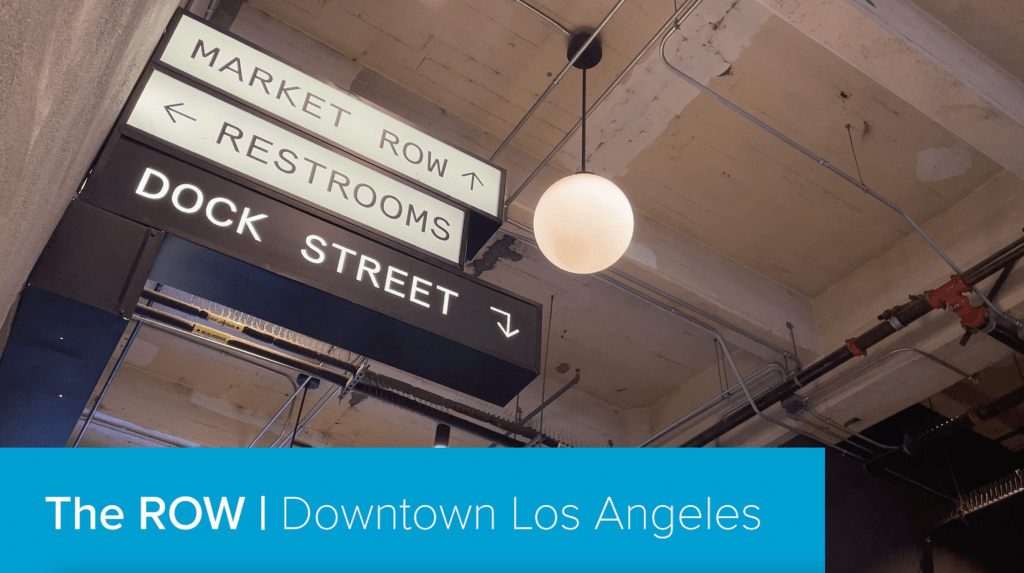
For this module, I shot and edited footage based on my preproduction work last week. I had a lot of fun reflecting on the still photos I captured and recording them or finding new creative ways to make them more attractive. My favorite shot in the montage is at 1:05. It tilts down from the sky to 90 degrees, revealing the secret garden on top of the parking garage. This is the only moving shot in the montage, and it feels highly appropriate because the tilt leads to a more dramatic reveal of the secret garden. The most challenging part was ensuring I didn’t get any people in my shots because as it got closer to 9 AM, more people were coming into work.
 Victoria Lorenz